Messaging Consent
SMS / Messaging Consent
This page is available in English only. The English version is the binding one.
How customers and business owners opt in to text messages
Opting in to text messages is never required.
You can use every part of Manyger — and a customer can book an appointment — without agreeing to receive marketing texts. Consent to marketing texts is always a separate, optional choice. It is never a condition of creating an account, purchasing, booking, or receiving service, and it is never bundled with our Terms, Privacy Policy, or any other agreement. Reply STOP anytime to opt out. Msg & data rates may apply; frequency varies.
1. A business's customers — verbal opt-in, and the booking happens either way
Manyger is an AI receptionist used by small businesses. Most text recipients are a business's own customers. When our AI receptionist answers a call and books an appointment, it asks a separate, standalone question before finishing — and completes the booking whether the caller says yes or no:
“Would you like a text confirmation and reminder? We’d also send an occasional note when you’re due for your next visit. Reply STOP anytime — either way is totally fine.”
We send confirmation and reminder texts unless the caller says no. Because the appointment is booked regardless of the answer, messaging consent is provably not a requirement of receiving service. We never treat booking, purchase, or any other action as implied consent to marketing texts, and the customer can reply STOP at any time. Text is outbound only: no AI reads an inbound text message to answer it on its own. A customer who texts the business receives one automatic acknowledgement pointing them to the business's booking page or phone number when it has one, and the message is placed in front of the owner. Apart from a texted START or UNSTOP, we never treat an inbound message, a booking, or a purchase as opt-in for marketing. Rebooking nudges, win-back messages and any bulk send by text go only to customers who separately opted in to them, for example through the standalone opt-in above — which is why that question names them. Appointment confirmations and reminders are transactional, and so is a single post-visit note asking how a visit went: it is tied to that specific appointment, it is never sent for a visit the business has marked as missed, and it carries no offer or discount. These go to the customer who gave the business their number for that appointment, every one carries STOP, and a STOP holds until the customer texts START and applies to all messages. A customer the business adds or imports gets the same appointment texts and the same STOP. Someone whose call ends before anything is done for them gets one text naming the business with its booking page, at most once a day.
2. A business's customers — one-time passcode on the booking page
A business using Manyger may have a booking page at getmanyger.com/book/your-business. Before any booking is created, the customer enters their own mobile number and we text them a six-digit code they must type back to continue. Possession of the number is therefore proven by the customer, on the customer's own initiative, before any booking or customer record is created.
That verification permits transactional messages about that booking — the confirmation, the reminder, and a single post-visit note asking how it went. Marketing, rebooking nudges and win-back messages require a separate ticked checkbox on the same form, which is unticked by default and never required to complete the booking. Leaving it unticked still books the appointment.
3. Business owners — a separate, optional checkbox during onboarding
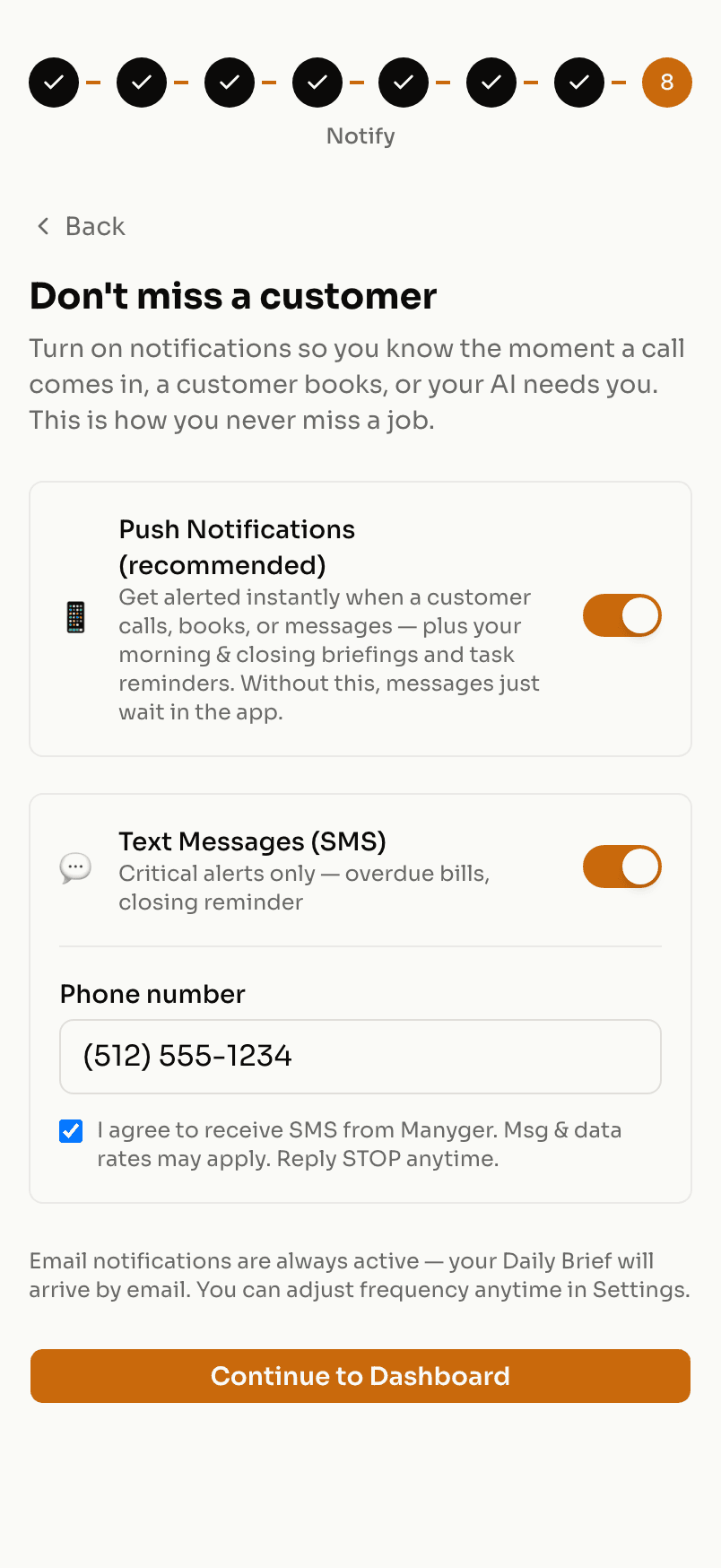
A business owner may optionally opt in to operational texts (new phone orders and urgent messages from callers) during onboarding. The SMS toggle is off by default; turning it on reveals a phone field and a consent checkbox with this exact language:
“I agree to receive SMS from Manyger. Msg & data rates may apply. Reply STOP anytime.”
Sample messages
- “Reminder: your appointment at K-Top Hairon Tuesday at 2:00 PM. Reply C to confirm or R to reschedule. Sent via Manyger - getmanyger.com Reply STOP to opt out.”
- “Hi Jamie, your appointment at K-Top Hairis confirmed for Jul 8 at 3:30 PM. Booked via Manyger - getmanyger.com Reply STOP to opt out.”
- “Hi Alex! Thanks for coming in to K-Top Hair. How was everything? Reply with a number 1-5 (5 = great). Sent via Manyger - getmanyger.com Reply STOP to opt out.”
Opting out and getting help
Reply STOP to any message to unsubscribe immediately; we process opt-outs automatically and stop future messages. Reply HELP or email support@getmanyger.com for assistance. Message and data rates may apply. See our Privacy Policy (§10.5) and Terms (§7.1) for the full messaging policy.